


Create a New Portfolio
To create a new portfolio:
-
Go to Assess 360 >Portfolio Management.
-
Click Create New Portfolio.
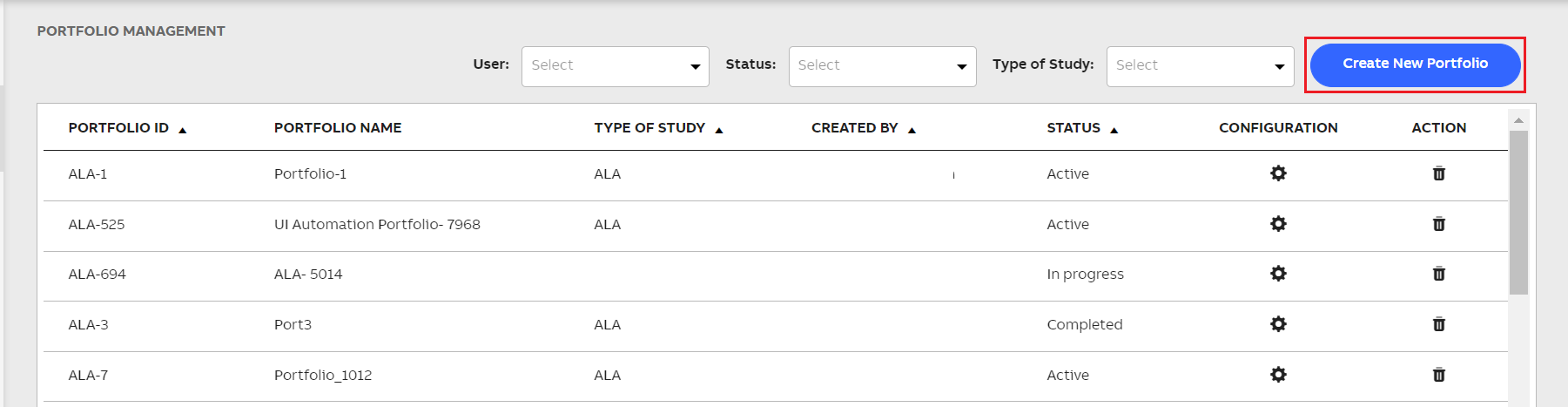
Create New Portfolio Button
-
Enter Portfolio Name.
-
In the Industry text box, enter the specific industry for the portfolio.
-
Enter Client name.
-
From the Type of Study dropdown list, select the relevant type of study.
-
Enter Description for the portfolio.
-
To download the excel template, click Download Portfolio Template.
This excel template consists of the metadata and structure of the project sections, sub sections and assessments, which a user can update as per the requirement.
-
Update the details in the following sheets of the downloaded excel template as per the requirement.
Accordingly, the sections and sub sections are created and displayed in the Project Management module of the Assess 360 application, which enable you to collect the required data and perform the assessment: